Know your office number.
Track your office attendance against any target your employer sets. Log your days, see your percentage, and know if you're on track before HR does.
New users need DeskTally Plus for ongoing access, with monthly or yearly plans. If your Apple account first downloaded DeskTally before version 1.6, your existing free tracker access is preserved. See the App Store offer for current prices and trial eligibility.
"Am I going in enough?"
Most people guess. Most people guess wrong. By the time HR sends that email, it's already too late.
Target: 60%
Set any target: 40%, 60%, 75%. You decide.
Try a week. Same math as the app.
Tap the days and watch the number react. Leave and ½ days come off the days you owe, unlogged days quietly count against you, and the colour tells you where you stand. That's the whole product.
of 60% target · Tight
Go on. Friday's still empty.
One tap to log
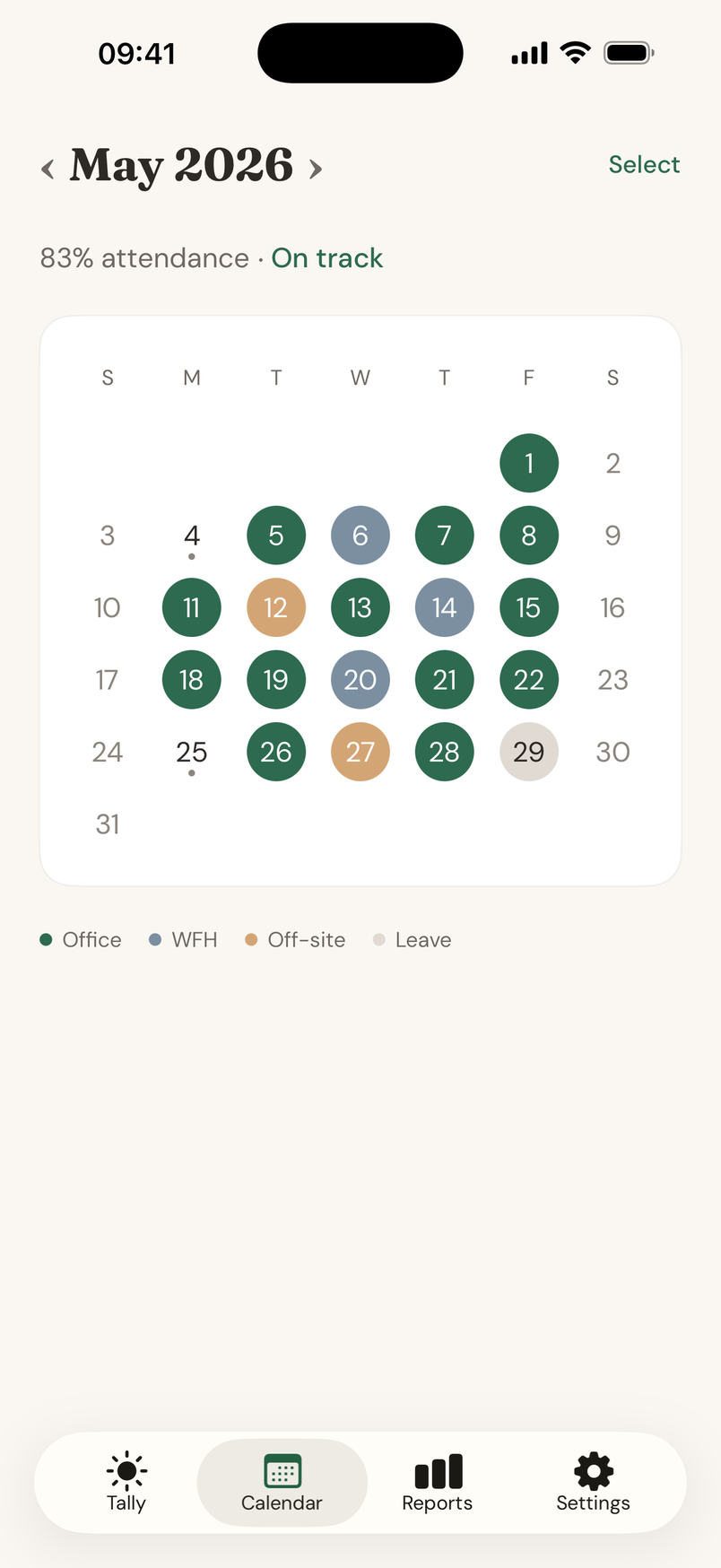
Office, WFH, off-site, or leave. Forgot a whole week? Select multiple days at once.
Half days count right
Worked the morning, took leave for the rest? Flag a ½ day and pick how your company counts it: full day off or half.
Bank holidays excluded
UK bank holidays come off your required days automatically. England & Wales, Scotland, or Northern Ireland.
Any target, any policy
40%, 60%, 75% or whatever your company requires. Counted by calendar month or full work weeks.
Calendar + reports
See your month at a glance, then zoom out to weekly, monthly, quarterly, and yearly trends, plus rolling 4- and 12-week views.
Walk in. It's logged.
Set up your office once. DeskTally detects when you arrive and logs automatically. Office detection is optional. Office search and address lookup use Apple services.
Know where you stand.
Know the office days you still need.
View on the App StoreNew users need DeskTally Plus for ongoing access, with monthly or yearly plans. If your Apple account first downloaded DeskTally before version 1.6, your existing free tracker access is preserved. See the App Store offer for current prices and trial eligibility.